BEINF makes your checkout experience secure and hassle-free with a trusted payment solution. Here’s how to complete your purchase without a hitch:
Accepted Payment Option
BEINF currently supports:
PayPal: Ideal for both local and global transactions, offering convenience and security.
How to Pay
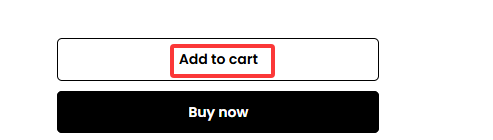
- Using Add to Cart:
Browse through BEINF’s items, select what you’d like, and click “Add to Cart”.
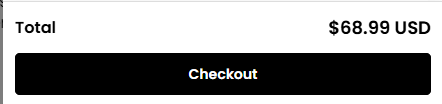
Go to Checkout: Click the cart symbol at the top of the page and choose “CHECKOUT”.
 |
 |
- Using Buy Now:
Look through BEINF’s products, find the one you want, and hit “Buy Now” on its product page. This takes you right to the checkout screen.
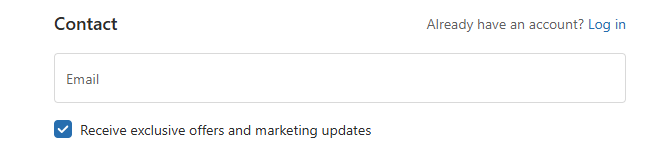
Enter Contact Email: Provide a valid email address to receive order updates and notifications.
Provide Shipping Information: Enter your delivery address and phone number.
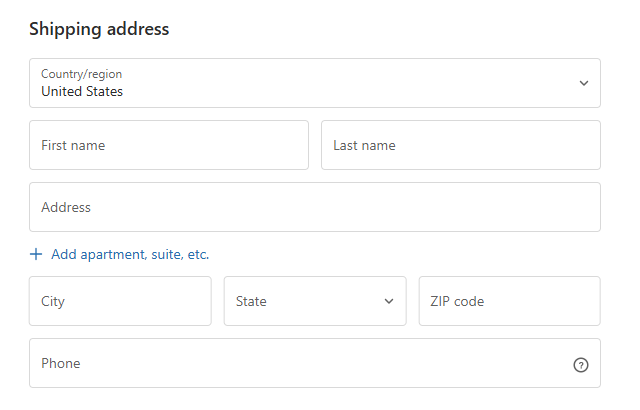
Click “Continue to Shipping” to proceed to the next step of the payment process.
Select Payment Option: Pick “PayPal” from the options shown on the checkout page.
Finish Your Payment:
Follow the instructions to log into your PayPal account and approve the payment to BEINF.
Get Order Confirmation: Once your payment goes through, you’ll instantly get an email from BEINF with your order number and all the details.
- Useful Hints
All PayPal payments on BEINF are protected with encryption, and you can check how your payment is going right in your PayPal account.
Ensure your contact email is accurate to stay updated on your order status.
If you run into any issues while paying, feel free to reach out to BEINF’s customer service via “Contact Us” page for quick help.